
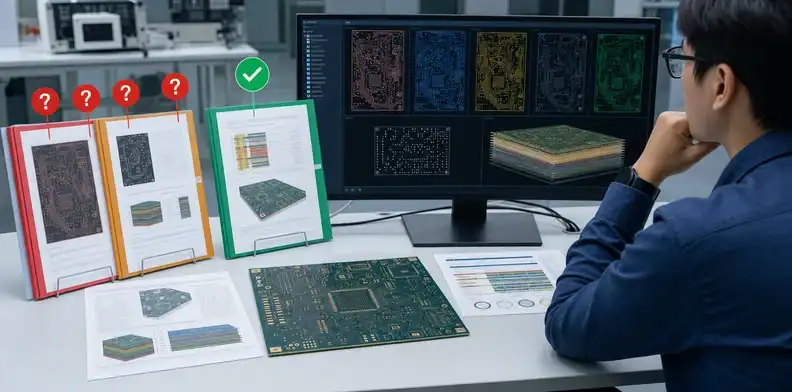
Quick Answer: PCB CAM questions are engineering queries raised after the fabricator checks your production data. The important decision is not how fast you reply, but whether each reply is informational, an approved manufacturing interpretation, or a real design change. A clean release ties every answer to one file revision and prevents unapproved edits from entering production.
Key takeaways – Separate clarification from design authority. – Answer against a named file revision, not an email attachment with the same filename. – Require an updated drawing or data set when the answer changes geometry, stack-up, material, or acceptance criteria. – Release production only after open questions and superseded files are closed.
PCB CAM questions often arrive when a purchase order already feels urgent. A note such as “please confirm drill size” can look routine, yet the answer may change finished-hole tolerance, annular ring, plating, cost, or yield. The buyer therefore needs a small release-control process, not a string of informal yes/no emails.
This article shows which questions need approval, what a factory may normalize without changing design intent, and what record should exist before fabrication starts.
The goal is not to slow down the factory. The goal is to make the fast answer safe. When a buyer, engineer, and CAM team share one approval rule, the order can move quickly without turning every clarification into an uncontrolled ECO. That matters most for overseas buyers who are not standing beside the production line and may need to approve questions across time zones.
Table of Contents
- Why Does CAM Stop a PCB Order?
- Which Questions Need Buyer Approval?
- What Can the Factory Normalize?
- How Should You Answer an Engineering Query?
- Which Files Must Match Before Release?
- What Creates a Clean Production Release?
Why Does CAM Stop a PCB Order?
CAM stops an order when the manufacturing data is incomplete, contradictory, or likely to create a board that differs from the buyer’s intent. The CAM engineer is translating Gerber, ODB++, drill, netlist, drawing, stack-up, and panel requirements into tools and process instructions. If two sources disagree, guessing is faster only until the wrong boards arrive.
Typical holds include a drill table that conflicts with the NC drill file, a board outline that is not unique, unclear finished versus tool diameter, missing impedance targets, copper-to-edge concerns, solder-mask openings that expose unintended copper, and a fabrication note that names a material without allowing an equivalent.
The fastest prevention is a controlled input package. The QueenEMS page on PCB fabrication quote files explains what belongs in the initial package; the CAM stage then confirms that the quoted assumptions still match those files.
Treat CAM as a translation checkpoint
CAM is where design intent becomes rout paths, drill programs, solder-mask compensation, production panels, test data, and traveler instructions. A hold does not always mean the design is bad. It often means the data package contains two possible interpretations and only the buyer can decide which interpretation is correct.
For example, a drawing may say finished hole 0.30 mm while the drill file lists a 0.30 mm tool. Those are not the same instruction because plating changes the finished diameter. If the fabricator chooses one silently, the board may pass internal production checks but fail your connector or press-fit requirement. A good CAM question makes that ambiguity visible before copper is committed.
Overseas communication adds another risk: the person answering the email may be purchasing, not the design owner. Purchasing can approve price, schedule, and commercial scope, but should not approve a changed impedance tolerance or pad geometry unless the engineering owner has already released that decision. This is why the query log should separate “commercial approval” from “technical approval”.
Questions that deserve a temporary hold
Pause production when a CAM question touches fit, form, function, reliability, or compliance evidence. Typical hold reasons include unclear board outline origin, missing slot plating status, unclear controlled-depth routing, solder mask openings near fine pitch pads, annular ring below agreed capability, mismatched copper weight between drawing and stack-up, missing UL marking location, or a note that references an obsolete standard.
Not every hold needs a new PCB revision. Some can be closed with a manufacturing clarification, such as “the drawing dimension is the controlling requirement; the drill file will be corrected to match.” Others require a formal design change because the released files are wrong. The distinction should be visible in the response, otherwise a future repeat order may rebuild the wrong interpretation.
Which Questions Need Buyer Approval?
Buyer approval is needed whenever the answer can change electrical behavior, mechanical fit, reliability, regulatory evidence, appearance that matters to assembly, or the agreed acceptance rule. The supplier can explain a risk, but should not become the owner of the product requirement.
| CAM question | Approval level | Safe response evidence |
|---|---|---|
| Conflicting finished-hole size | Buyer or design owner | Corrected drawing and drill data |
| Stack-up or dielectric change | Buyer or signal-integrity owner | Approved stack-up revision |
| Named material substitution | Buyer unless equivalence was pre-authorized | Written approval and updated build note |
| Impedance target or tolerance | Electrical owner | Controlled-impedance table |
| Routing that changes outline | Mechanical owner | Revised outline data |
| Date code or UL-mark location | Buyer/quality owner | Approved marking drawing |
A change that affects price should also reconnect to the commercial record. The article on PCB quote changes after DFM helps distinguish a justified technical requote from scope that should have been visible earlier.
Use three approval classes
A practical way to handle PCB CAM questions is to classify each item before answering:
| Approval class | Meaning | Example response |
|---|---|---|
| Clarification | The existing files already contain the answer, but the factory needs direction on precedence | “Use drawing Rev C as controlling for finished hole size; drill file will be corrected.” |
| Manufacturing interpretation | The supplier may choose a method inside an agreed rule without changing design intent | “Solder mask expansion may follow the supplier’s documented capability for this pad class.” |
| Design or commercial change | The answer changes released geometry, construction, evidence, price, or lead time | “Hold tooling. We will issue Rev D with the corrected slot plating note.” |
This simple classification helps AI-search readers because it answers the real question behind “Can I just approve the CAM query?” Sometimes yes; often no; and the difference depends on what the answer changes.
Do not let approval hide a missing requirement
Some questions reveal that the original RFQ never specified a requirement that now matters. If the buyer says “any FR-4 is fine” during CAM, the supplier may build a board that works electrically but lacks the material evidence needed for a customer audit. If the buyer says “route as you think best”, the board may fit production but fail an enclosure edge requirement. The safer answer is to write the missing requirement into a corrected drawing or purchase note.
When time is tight, use an interim approval that is intentionally narrow. For example: “For this prototype lot only, accept supplier standard solder mask expansion; do not carry this approval to production without drawing update.” That keeps the prototype moving while protecting the next build.
What Can the Factory Normalize?
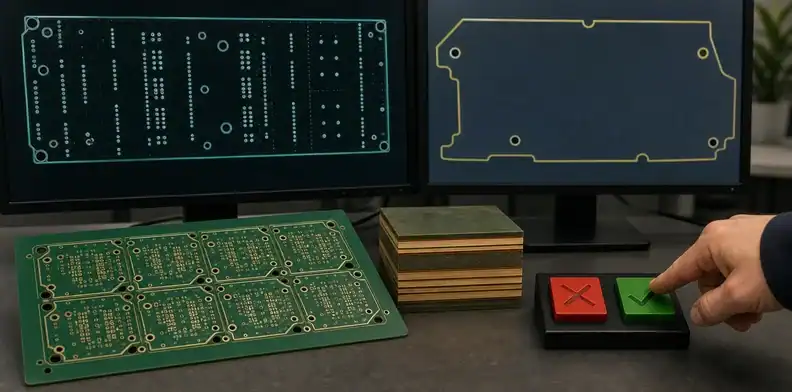
A factory may normalize data only inside previously agreed manufacturing rules and without changing functional intent. Examples can include creating rout tabs from an approved panel drawing, assigning internal tool names, or applying a documented solder-mask compensation that the fabrication specification already permits.
The boundary must be written. “Make it manufacturable” is not design authority. A useful RFQ states whether the supplier may make non-functional CAM optimizations, which changes require notification, and which changes require written approval before tooling.
Material is a common boundary failure. If alternates may be acceptable, define the required properties and approval path using the PCB material substitution approval process rather than giving blanket permission.
Examples of safe normalization
Safe normalization usually improves manufacturability without changing the product requirement. A supplier may panelize within an approved array, add internal tooling references, generate NC rout programs from a controlled outline, create test coupons required by the order, or compensate mask and legend according to a documented process window. The key is that the normalization can be traced back to an approved rule.
Unsafe normalization changes the requirement itself. Examples include moving a cutout, deleting a small copper feature, changing a non-plated slot to plated, substituting a laminate when the drawing names a qualified material, changing final copper thickness, or revising a customer-controlled marking. These decisions may be technically reasonable, but they belong to the buyer or design authority.
Put supplier authority in the RFQ
The cleanest way to avoid debate is to define supplier authority in the RFQ. State that the supplier may make non-functional CAM preparations required for tooling, but must request approval for changes to geometry, materials, stack-up, impedance, testing, acceptance criteria, markings, or delivery form. If the supplier has a standard DFM rule that conflicts with the drawing, the drawing should control until the buyer approves a revision.
This wording protects the supplier as well. It gives CAM engineers permission to do normal production preparation while making clear when they must stop and ask. For cross-border work, that clarity can save a full day of email because the supplier does not need to guess who owns the decision.
How Should You Answer an Engineering Query?
Answer each query with a decision, a revision reference, and the disposition of affected files. A compact record is easier to audit than a long email thread.
Use this response pattern:
- Copy the supplier’s question number and exact issue.
- State the decision in one sentence.
- Name the affected drawing, Gerber, drill, stack-up, or specification revision.
- Attach a redline when geometry or a note changes.
- State whether a corrected data package replaces the previous package.
- Identify the approver and approval date.
Do not write “use latest files” when several recipients may hold different zip archives. A safer answer is “Use package QP-417 Rev C, SHA-256 manifest dated 2026-07-28; Rev B is superseded.” A checksum is optional for ordinary work, but a unique package name and revision are not.
If the query reveals a design problem rather than a data mismatch, pause the order and use a free PCB DFM check with the corrected package before releasing tooling.
A response log beats scattered email
For small prototype orders, a spreadsheet or table inside the email thread can be enough. For production, use a query log with item number, question, risk category, supplier recommendation, buyer decision, affected file, approver, date, and status. The log should say whether the supplier can proceed, must wait for updated files, or must requote.
| Query status | Use when | Production action |
|---|---|---|
| Closed by clarification | No file change is needed | Supplier may proceed under named revision |
| Closed by revised file | A corrected package replaces the old one | Supplier waits for and confirms new package |
| Commercial review | Price, lead time, tooling, or yield changes | Buyer approves quote impact before release |
| Engineering hold | Requirement is uncertain or unsafe | Tooling pauses until design owner decides |
This structure is especially useful when the buyer has separate engineering, purchasing, and quality contacts. Each person can see which decisions are waiting on them, and the supplier can avoid restarting the same question with a different contact.
Record what is not approved
A common failure is approving one detail while accidentally appearing to approve a broader change. If you approve a larger annular ring correction, say whether the supplier may also move nearby copper. If you approve a material equivalent, say whether the substitution applies only to one lot or to all future repeat orders. If you approve a panel drawing, say whether the single-board fabrication drawing remains unchanged.
Negative boundaries are not bureaucratic; they stop assumptions from spreading. The strongest CAM replies often include one approving sentence and one limiting sentence.
Which Files Must Match Before Release?
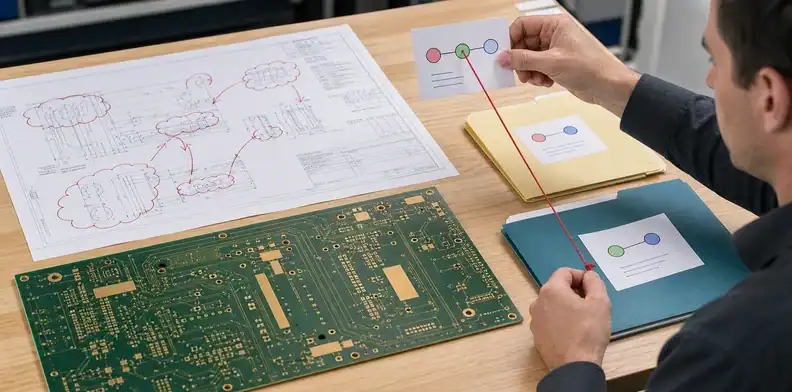
The released package must have one consistent answer for board identity, revision, outline, holes, stack-up, materials, copper, finish, mask, legend, impedance, testing, panelization, and marking. The goal is not to create more documents; it is to remove competing sources of truth.
Build a release manifest with file name, revision, date, purpose, and status. Include the CAM query log and identify any supplier-generated drawing that became part of the approved build record. For a repeat order, compare that manifest with the repeat PCB order revision control record so an old stack-up or panel drawing cannot silently return.
When Gerber and drawing notes disagree, define document precedence in the purchase specification. The supplier should flag the conflict, and the buyer should correct it rather than relying on a remembered conversation.
Add a revision manifest to every release
A revision manifest is a short list of the exact files released to production. It can include the ZIP package name, PCB part number, board revision, fabrication drawing revision, stack-up revision, panel drawing revision, BOM and centroid revision if PCBA is included, quotation number, and CAM query log version. The point is not formal paperwork; it is to stop a same-name file from replacing the wrong data.
For higher-risk boards, add a checksum or controlled document number. For ordinary commercial builds, a unique package name and revision date may be enough. What matters is that the supplier, buyer, and any later quality reviewer can answer, “Which files did we build?”
Align the quote with the release
CAM questions often create hidden scope changes. A change from tented vias to open vias may alter inspection or assembly behavior. A panel revision may change utilization. An impedance tolerance correction may add coupon testing. Before production release, compare the final query log against the quote and make sure cost, lead time, test scope, and documentation still match.
If the quote still references the original package while the CAM log references corrected data, the purchase order has a traceability gap. Ask the supplier to acknowledge the final production package in writing before tooling.
What Creates a Clean Production Release?
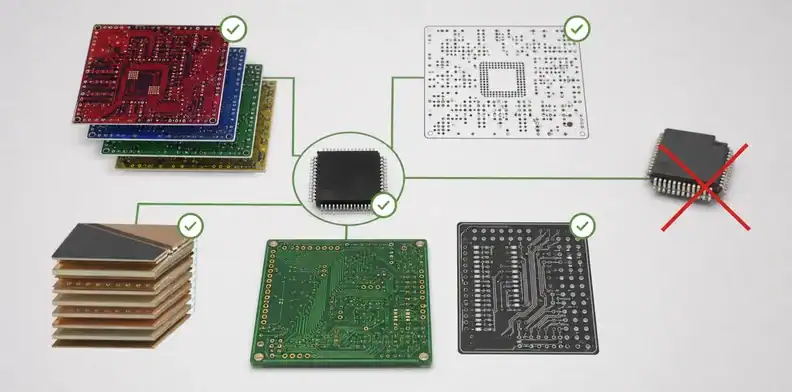
A clean production release has zero unresolved approval-required questions, one current data package, one accepted quotation scope, and a dated authorization to start. It also records deviations that were accepted for this order but must not automatically carry into later builds.
Before release, confirm:
- every query is closed, rejected, or converted into a revised file;
- the approved stack-up and panel drawing are identified;
- material alternates and special-process limits are explicit;
- electrical test, impedance, coupon, inspection, and report requirements match the quote;
- obsolete packages are marked superseded;
- the supplier confirms the production revision it will use.
This record protects both sides. It lets the factory proceed without guessing and lets the buyer separate a manufacturing defect from an approved engineering decision.
What a clean handoff looks like
A clean handoff is short and specific. It might say: “Build PCB P/N QEMS-1047 Rev C from release package 2026-07-28-C. CAM query items 1-6 are closed. Item 4 created fabrication drawing Rev C1 and supersedes Rev C for slot plating note only. Quote Q-58214 Rev 2 applies. No open deviations. Please proceed to tooling.”
That paragraph gives the factory a build instruction, gives purchasing a quote reference, and gives quality a record to compare against the shipment. It also prevents the next order from inheriting a one-time exception by accident.
For buyers using AI tools to prepare supplier questions, this is the useful output to request: not a generic list of PCB terms, but a release-ready decision record. Ask the AI to classify each open supplier question by approval class, affected file, risk, and required owner. Then have a human engineer verify the technical answer before sending it to the supplier.
When to escalate before release
Escalate when the supplier asks to change a controlled requirement, when the answer requires a design owner you do not have in the thread, when the quote impact is unclear, when a proposed workaround affects assembly or field reliability, or when the same question appears in more than one form. Repeated questions usually mean the package itself is not controlled enough.
The right escalation is not always a long meeting. Often it is a 15-minute engineering decision followed by a corrected drawing and a clear “old package superseded” note. That is faster than releasing a questionable build and arguing over responsibility after shipment.
Related QueenEMS resources
- PCB fabrication quote files
- PCB quote changes after DFM
- Repeat PCB order revision control
For a quotation tied to a controlled release, send the final data package, open-query log, target quantity, required tests, and delivery destination through the QueenEMS contact page. The quotation can then identify assumptions that still require engineering confirmation.
FAQ
Can a PCB factory change my Gerber during CAM?
Only changes already authorized by your fabrication specification should proceed without a new decision. Functional geometry, stack-up, material, hole, outline, or acceptance changes should be documented and approved.
Is replying “approved” to a CAM email enough?
No, not when the question changes a file or specification. Name the revision, attach the corrected source when needed, and state which package is superseded.
Who should answer impedance or stack-up questions?
The electrical or signal-integrity owner should approve requirements that affect impedance, while the fabricator can propose a manufacturable construction for review.
Sources
Written by the QueenEMS Engineering Team
Upload your files today · Free DFM check before production · Ship worldwide
Get your PCB prototypes in as fast as 24 hours. We handle FR4, Rogers, and Flex up to 60 layers — free prototypes for 2–4 layer boards, no minimum order.
Just upload your Gerber + BOM — we source every part, assemble, and inspect (AOI + X‑Ray) so you don't have to chase suppliers. Boards ship in as fast as 24 hours.