
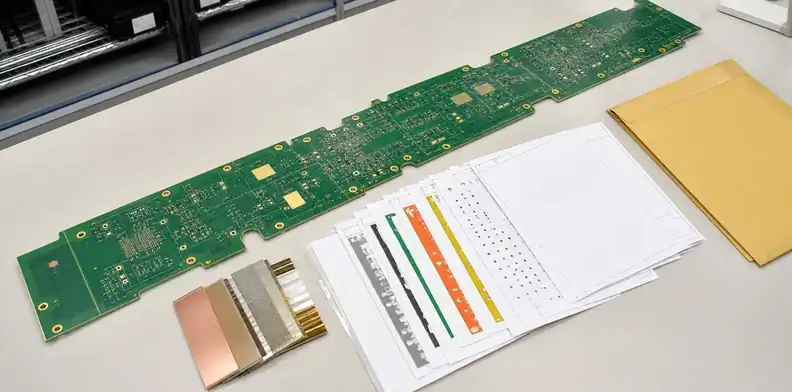
Quick Answer: A large PCB RFQ needs one revision-controlled package containing Gerber or ODB++, NC drill data, a fabrication drawing, layer count and stack-up, named material or equivalency rules, finished thickness, copper weights, surface finish, special processes, inspection requirements, quantities and delivery target. Add assembly files when PCBA is included. The supplier should return a size-route disposition and visible assumptions before pricing is treated as final.
Large PCB RFQ files can produce a number with only an outline and layer count, but that number is usually provisional. Material sheet, multilayer envelope, testing, flatness evidence and packaging can all change the route after CAM opens the files.
The purpose of the RFQ package is not to send every document your company owns. It is to give the supplier enough controlled information to identify the manufacturing path, price the actual requirements and separate confirmed data from open engineering decisions.
Table of Contents
- Control project identity in large PCB RFQ files
- Send complete fabrication data
- Define construction outside the Gerber files
- Document dimensions, datums and flatness
- State special processes and test evidence
- Add assembly inputs only when required
- Make quote assumptions comparable
- Submit a package that supports release
- Recheck the RFQ after a controlled revision
Control project identity in large PCB RFQ files
Every RFQ file should belong to one project, revision and variant. Revision mismatch is more dangerous than a visibly missing file because the supplier may quote a hybrid product that no engineer intended.
Create a package cover sheet with project name, PCB part number, revision, variant, service scope, quote revision and document list. Give each drawing and data export a recognizable revision or date. The BOM and centroid file are not needed for bare-board fabrication, but when PCBA is included they must match the same board revision.
Use a single archive with a stable folder structure. Avoid filenames such as final, latest2 or new gerber. A simple structure works:
/fabrication-data//drawings//stackup-and-material//assembly/when applicable/test-and-inspection//commercial/
The cover sheet should state which files are released and which are preliminary. A buyer may legitimately request budget pricing before stack-up approval, but the supplier must be able to label the quote accordingly.
The general PCB fabrication quote-file article explains file completeness. This large-board package adds size-route, support, flatness and logistics decisions.
Send complete fabrication data
The minimum build data is the complete copper, mask, legend, drill and outline definition for the intended board. A screenshot, PDF or board dimensions alone cannot support CAM review.
Gerber RS-274X can be sufficient when every layer is clearly identified and accompanied by drill and route data. ODB++ or another intelligent manufacturing package may carry more structure, but it still needs a drawing for requirements that are not encoded reliably in the artwork.
Include:
- all copper layers in correct order;
- solder mask and silkscreen layers;
- paste layers only when relevant to the service scope;
- plated and non-plated drill data;
- slots and routing information;
- a clear finished-board outline;
- readme or layer map when filenames are not self-explanatory.
Open the exported files in an independent viewer before submission. Check units, zero point, layer polarity, outline closure, drill alignment and the absence of unrelated mechanical drafts. Large outlines make unit or scaling errors especially costly.
If the customer controls a panel or removable rails, include that drawing separately and identify finished-board versus outside-panel dimensions. The PCB panel drawing approval article helps prevent the supplier from treating a customer array as an informal suggestion.
Data rule: Do not request final pricing until copper, drill, outline and customer-controlled panel data share one revision.
Define construction outside the Gerber files
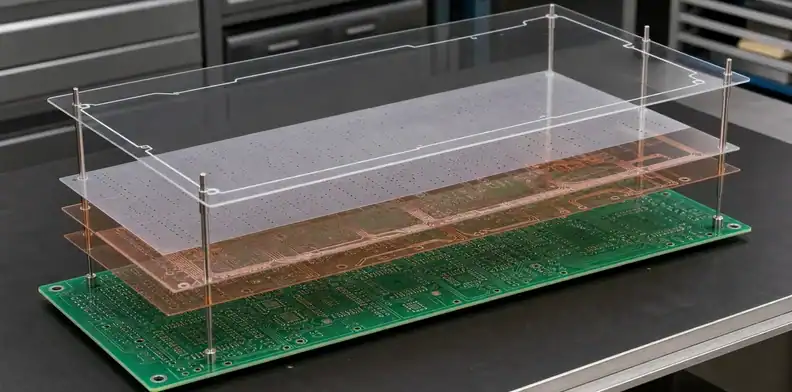
Gerber image layers do not by themselves describe every fabrication requirement. A Gerber Job file can carry manufacturing information such as overall thickness, finish and materials in machine-readable form. Include it when your export and supplier workflow support it, and keep it consistent with the approved stack-up and drawing. If the job file says 1.6 mm while the released drawing says 2.0 mm, mark the package unresolved; do not let CAM choose a value silently. Name the authoritative revision, correct the conflict and resend the controlled package.
State the layer count and proposed stack-up. For controlled impedance, list target traces, layers, reference planes, impedance values and tolerance. Clarify whether the supplier may return a production stack for approval or must follow a customer-controlled construction.
Material information should distinguish mandatory brand/model from performance-based equivalency. If a named laminate is required, say whether all cores and prepregs must use that family. If alternatives are allowed, list the electrical, thermal, flammability and customer-approval boundaries.
Specify finished board thickness with tolerance and finished copper requirements by layer. Do not assume a simple copper-foil label equals final outer copper after plating. Heavy copper or unusual inner/outer combinations can change etching, plating, resin fill and the maximum usable size.
The supplier stack-up signoff should be completed before material release. For an oversized board, the signoff should also confirm that the proposed materials and panel construction fit the quoted press, imaging and registration route.
Mark impedance coupons, material certificates or microsection evidence if required. Their need affects panel planning and quotation, so they cannot be added casually after the board consumes the available process field.
Document dimensions, datums and flatness
The mechanical drawing should identify what is measured, from which datum and under what flatness condition. Gerber geometry alone does not communicate functional tolerance priorities.
Include finished length and width, outline tolerance, hole and slot dimensions, critical feature positions, bevels, countersinks, cutouts and edge requirements. Define functional datums for connectors, mounting holes and enclosure interfaces. Avoid duplicating dimensions in conflicting drawings.
For a large board, distinguish ordinary outline tolerance from critical long-distance registration. Two connectors at opposite ends may need a direct positional relationship even when intermediate features use general tolerances. Link the requirement to the PCB hole-position and datum process.
Flatness notes should name the board condition, method and limit. “Must be flat” is not inspectable. If bow and twist are controlled according to a named method, state the applicable product requirement and whether the evidence applies to a single board or panel. Use the existing PCB bow and twist RFQ guidance instead of inventing a value from a supplier FAQ.
If the board is measured after a thermal precondition or must fit a mating fixture, include that condition. The supplier needs to know whether the decision is ordinary outgoing inspection or a product-specific qualification.
Mechanical check: A dimension or flatness limit is quotable only when its datum, board condition and evidence method are explicit.
State special processes and test evidence
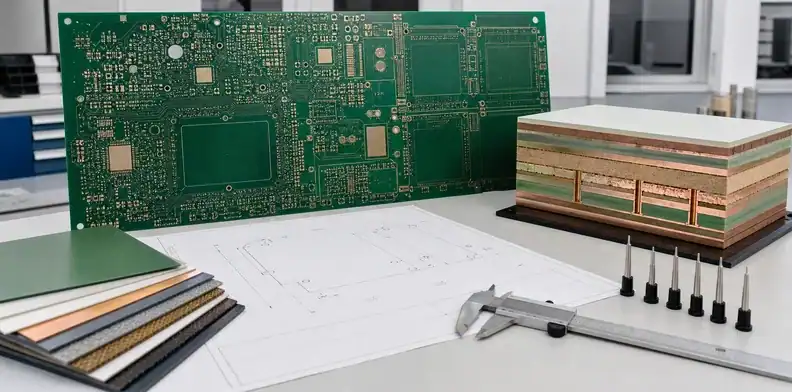
Every process beyond ordinary through-hole fabrication needs a clear requirement and an evidence expectation. Listing a feature without acceptance criteria leaves the supplier to quote a default route.
Identify surface finish, controlled impedance, blind/buried vias, filled vias, backdrill, controlled-depth routing, edge plating, gold fingers, peelable mask, carbon ink, heavy copper or other special structures. For each, state the drawing location, applicable tolerance and inspection or report needed.
Electrical test should define whether 100% net test is required and whether customer-specific voltage, isolation or report fields apply. Large boards may need a different fixture or flying-probe route, so test method and coverage should be confirmed before order. The PCB electrical test requirement article helps separate a generic pass statement from usable evidence.
Inspection requirements can include dimensional report, stack-up verification, microsection, impedance result, first-article report, flatness record and outgoing photographs. Request only evidence that supports a decision. A long generic quality list adds cost without clarifying acceptance.
Surface finish affects size feasibility because the entire board must pass the qualified line and contact strategy. Name the finish and thickness requirement where applicable. Do not allow a quote to use “standard finish” when the drawing expects something else.
Add assembly inputs only when required
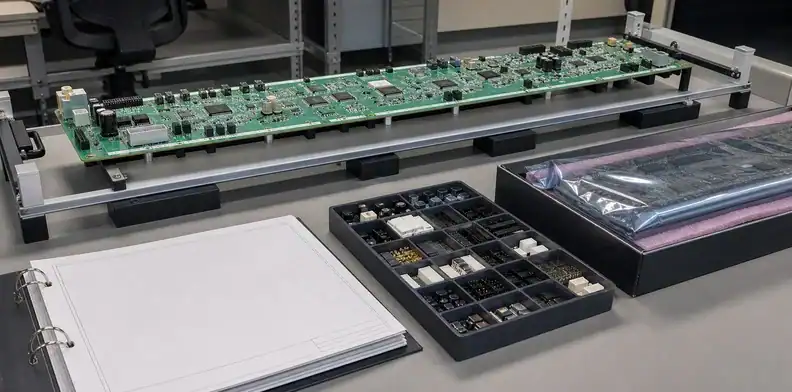
When the RFQ includes PCBA, add the files that define sourcing, placement, process sides, inspection and test. Do not assume the bare-board data contains enough information for assembly.
Provide a bill of materials with manufacturer part number, reference designators, quantity per board, package and approved alternates. Add centroid/pick-and-place data with X/Y coordinates, rotation and side. Include assembly drawings with polarity, connector orientation, do-not-populate parts and manual operations.
Large format assembly also needs physical information:
- final board dimensions and thickness;
- estimated bare and populated weight;
- largest, tallest and heaviest components;
- top/bottom placement scope;
- required rail or carrier assumptions;
- preferred travel orientation;
- THT, selective solder or manual assembly scope;
- programming and functional test instructions.
The PCB assembly quote-file process provides the general BOM and placement controls. Here the supplier must separately confirm that stencil, placement, reflow, inspection and test equipment accept the actual large board.
Do not attach an assembly BOM to a bare-board-only quote unless it helps explain mechanical risk. Extra uncontrolled files can create scope confusion. The cover sheet should say exactly what QueenEMS is being asked to price.
Scope call: Include assembly data only when the supplier is pricing PCBA or when it changes the bare-board process decision.
Make quote assumptions comparable
A useful quote separates confirmed requirements, supplier assumptions, exclusions and open engineering questions. Price comparison is unreliable when suppliers silently choose different materials or test scopes.
Request an assumption sheet covering:
| Topic | Quote should state |
|---|---|
| Size route | Finished outline, production format and limiting operation |
| Construction | Layer count, material, thickness and copper basis |
| Special process | Included features and any provisional feasibility |
| Test/inspection | Method, sampling and included reports |
| Tooling | One-time charges, ownership and repeat-order treatment |
| Delivery | Packing basis, destination term and schedule assumption |
Review deviations before selecting on price. A substitute laminate, reduced inspection sample or excluded carrier can explain a lower quote. The commercial decision should compare the same released scope.
Keep a CAM question log. Each question should show the source requirement, supplier proposal, engineering answer, owner and date. Approval by chat without a marked revision can be lost when the job repeats.
Send the draft package and ask for missing-input and assumption feedback. The useful return is not a sales callback; it is a list of what prevents final size disposition or accurate pricing.
Submit a package that supports release
The final submission should allow engineering, purchasing and the supplier to identify the same build without reconstructing an email chain. Freeze the package before the PO references it.
Run a last check:
- One part number, revision and variant appear across the cover sheet and drawings.
- Fabrication data opens correctly and includes drill and outline information.
- Stack-up, material, thickness, copper and finish are explicit.
- Critical dimensions, datums and flatness rules are inspectable.
- Special processes and evidence are listed.
- Quantity breaks, target schedule and destination are included.
- Assembly files are complete when PCBA is in scope.
- Open items are labeled rather than hidden.
The PCB quote exclusion review helps compare what remains outside the commercial offer. Resolve exclusions that affect fit, reliability or customer acceptance before the order.
When requesting a QueenEMS large-board quotation, upload the controlled archive and cover sheet. QueenEMS can return a layer-dependent size assessment, missing-information list, major DFM questions, proposed inspection scope and quotation based on visible assumptions.
Before sending the archive, open it on a clean workstation or with a neutral viewer. Confirm that the drill data aligns with the copper, the profile is closed, routed slots appear correctly and every expected layer is present. Check that PDF drawings use readable fonts and that dimensions are not hidden by an export error. A correct native design can still produce an incomplete RFQ package.
Use filenames that survive email, portals and supplier storage. A practical pattern is part-number_revision_document-type_date, with no ambiguous labels such as final2 or latest. Put the same part number and revision inside the fabrication drawing, assembly drawing and cover sheet. If a preliminary package is replaced, issue a new archive and explicitly withdraw the earlier one rather than sending loose replacement files.
Large-board quotations often remain conditional after the first submission. Manage those conditions as a short disposition log:
| Status | Meaning | Required next action |
|---|---|---|
| Confirmed | Supplier can quote the stated requirement | Preserve it in the quote and order |
| Proposed deviation | Supplier suggests a material, stack or process change | Engineering accepts or rejects in writing |
| Open feasibility | Data is insufficient or a trial is needed | Supply data or authorize a defined trial |
| Excluded | Work or evidence is outside the offer | Add scope, accept the gap or seek another route |
Do not let an open feasibility item become an implied promise. For example, a selected-custom outline may require engineering review, material availability and a dedicated process check. The commercial document should say whether the price is budgetary, subject to coupon/trial results, or ready for production release.
When the supplier returns CAM questions, answer against the controlled package. If the answer changes design intent, revise the source data and drawing instead of allowing the email alone to become the manufacturing authority. Then request a revised quote or confirmation showing that the approved change has been incorporated. This closes the loop between technical review and purchasing.
Archive the submitted package, supplier assumptions, approved deviations and final quotation together. On a repeat order, compare the new PO to that record before reusing tooling or accepting a substitute material. The saved package becomes the baseline for change control, incoming inspection and dispute resolution.
For a quote-readiness check, send QueenEMS the controlled RFQ archive with its cover sheet, quantity breaks, delivery destination and open-item log. The returned package can identify missing inputs, layer-dependent size conditions, major CAM questions and the assumptions that still prevent a production-release quotation.
Bottom line: A quote is ready for comparison only when requirements, deviations, open feasibility and exclusions are separated.
Recheck the RFQ after a controlled revision
A quotation remains comparable only while its source package remains unchanged. Reopen supplier disposition when the outline, layer count, stack-up, material family, copper weight, finish, special process, test scope, assembly side or delivery quantity changes.
Issue a replacement archive rather than a loose delta email. The cover sheet should identify the superseded RFQ, changed documents and commercial impact requested from the supplier. Preserve both versions so engineering and purchasing can explain why price, lead time or feasibility moved.
Revision rule: Treat every approved technical change as a new RFQ baseline until the supplier confirms the updated scope in writing.
FAQ
Can I request a budget quote before the design is finished?
Yes. Mark the data as preliminary and ask the supplier to list material, stack-up, test and quantity assumptions. Do not treat the result as a production release quote.
Are Gerber files enough for a large bare PCB quote?
Usually not for a final quote. The supplier also needs construction, material, thickness, copper, finish, mechanical tolerances, quantities and inspection scope.
Should I send both Gerber and ODB++?
Send the released manufacturing source your team controls. If both are supplied, identify which is authoritative and verify that they describe the same revision.
What is the most common large-board RFQ omission?
The omission to resolve first is one that changes the quoted manufacturing route. Unconfirmed layer-dependent size, material, thickness, copper or test requirements can leave feasibility and price provisional.
Do I need a BOM for a bare-board quote?
No. A BOM is required when component sourcing or assembly is included. For bare-board work, provide fabrication and mechanical requirements instead.
Sources
Written by the QueenEMS Engineering Team
Upload your files today · Free DFM check before production · Ship worldwide
Get your PCB prototypes in as fast as 24 hours. We handle FR4, Rogers, and hybrid boards up to 40 layers in volume production, with advanced builds subject to engineering review — free prototypes for 2–4 layer FR-4 boards, no minimum order.
Just upload your Gerber + BOM — we source every part, assemble, and inspect (AOI + X‑Ray) so you don't have to chase suppliers. Boards ship in as fast as 24 hours.