
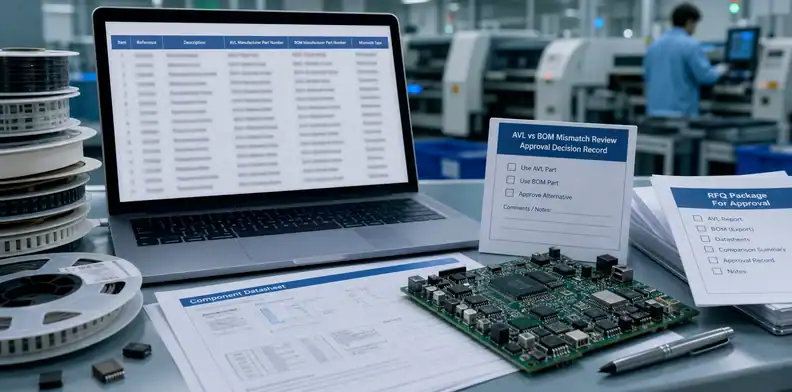
Quick Answer: A PCBA MPN mismatch between the BOM and AVL should stop sourcing for that line until engineering names the approved manufacturer part number or approved alternate set. The supplier may flag availability and suggest options, but it should not choose between conflicting MPNs unless the RFQ gives clear substitution authority and records cost, lead time, MOQ, and NCNR impact.
Key takeaways
- Treat PCBA MPN mismatch BOM AVL as an engineering release issue before it becomes a purchasing mistake.
- Decide whether the BOM, AVL, approved alternate list, or new engineering approval controls the disputed line.
- Mark quote lines as exact, approved alternate, proposed alternate, or hold before the supplier buys parts.
BOM and AVL conflicts are easy to miss because both documents look official. The BOM may list one manufacturer part number. The AVL or AML may list another. A distributor quote may offer a third option because the first two are unavailable or expensive.
The risk is not only a wrong purchase. A different MPN can change footprint, polarity, package height, tolerance, lifecycle, temperature rating, firmware behavior, compliance, or test result. It can also create non-cancellable, non-returnable material exposure before engineering has approved the part.
A clean RFQ should make the approved part decision visible before sourcing begins. The supplier can help with availability and alternatives, but the buyer must decide which part is allowed for the build.
Table of Contents
- Stop the disputed line before sourcing starts
- Decide which document controls the MPN
- Check package, footprint, and function
- Separate approved alternates from proposed alternates
- Release a clean BOM and AVL package
- Separate an AVL alternate from a BOM correction
- Record the approved MPN for the next buy
Stop the disputed line before sourcing starts
When the BOM and AVL disagree, the safest first action is to hold that component line. Do not let the supplier buy material until the quote states which MPN is approved, which MPN is conditional, and who can approve a change.
Start with a clean BOM for PCB assembly structure. The BOM should include reference designator, value or description, package, quantity, manufacturer, MPN, approved alternates if allowed, and any sourcing note. A vague line such as “10uF capacitor” is not enough for controlled PCBA purchasing.
The hold does not need to stop the whole quotation. The supplier can still quote other lines, flag the conflict, and provide options. What should pause is actual buying or final production release for the disputed part.
Use a status column:
| Line status | Supplier action |
|---|---|
| Exact approved | Quote and source the named MPN |
| BOM/AVL mismatch | Hold sourcing and ask for buyer decision |
| Approved alternate | Quote the named alternate with its MPN |
| Proposed alternate | Quote only as conditional, not released |
| Obsolete or unavailable | Return to engineering or component owner |
This makes supplier answers easier to compare. One supplier may quote the BOM MPN with a long lead time. Another may quote an AVL part available now. A third may quote a substitute that has not been approved. Those are not equal offers.
Purchasing should avoid approving the cheapest or fastest line until engineering can see what changed. The lower price may be real, or it may come from a different package, tolerance, temperature grade, reel quantity, lifecycle status, or source quality.
The RFQ note can be simple:
“Line C37 has BOM/AVL MPN conflict. Please quote exact BOM MPN and separately list any AVL or proposed alternate. Do not purchase the line until engineering approval is returned.”
That short note protects schedule because the supplier can continue reviewing the package while the buyer resolves the part decision.
Decide which document controls the MPN
The buyer should define which document has authority for the disputed line. Some companies treat the released BOM as the source of truth. Others use the AVL or AML to control approved manufacturers while the BOM controls quantity and placement. Some projects require a separate engineering change or deviation approval.
The supplier cannot know that document hierarchy unless the RFQ states it. Without a rule, a supplier planner may use the available part, a buyer may expect the BOM part, and engineering may expect the AVL part.
When a conflict appears, ask the owner to choose one of four outcomes:
| Engineering decision | What the supplier should do |
|---|---|
| BOM controls | Quote and buy the BOM MPN only |
| AVL controls | Use only the MPNs approved in the AVL/AML |
| Both are approved | Quote both or choose by the stated sourcing rule |
| Neither is released | Hold the line until alternate approval is complete |
This is not the same as a normal shortage conversation. Use PCBA approved alternates only after the team knows whether the other MPN is already approved or still proposed.
The decision should be written in the RFQ response or PO note. A phone call may solve the immediate question, but it does not protect the next buyer, planner, or repeat order. The record should say which MPN was accepted and whether that approval is only for one build or for future orders.
For example:
“AVL MPN controls for U12. BOM description is outdated. Quote and source MPN ABC-123 only. Engineering will update BOM Rev C after this prototype build.”
That wording tells the supplier what to buy now and prevents a future reorder from reviving the same conflict.
Check package, footprint, and function
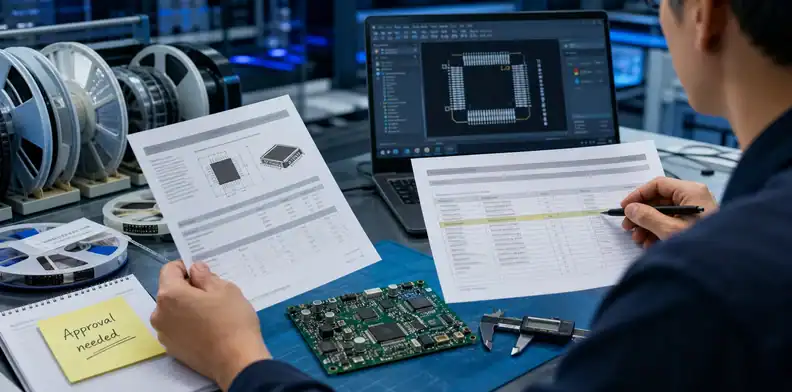
An MPN mismatch is highest risk when the part affects footprint, pinout, polarity, package height, power, RF, timing, firmware behavior, safety, or compliance. Do not treat all MPN differences as equal.
A passive component may be simple if value, package, tolerance, voltage, dielectric, and temperature rating match. Even then, the buyer should confirm lifecycle and source. A connector, regulator, crystal, sensor, RF module, MOSFET, optocoupler, memory device, or programmed component needs deeper review.
For high-risk lines, ask for a short comparison:
| Check item | Why it matters |
|---|---|
| Package and footprint | Confirms SMT land pattern and assembly fit |
| Pinout and polarity | Prevents reversed or incompatible placement |
| Electrical rating | Protects voltage, current, tolerance, and temperature needs |
| Firmware or configuration effect | Prevents wrong behavior after assembly |
| Compliance and lifecycle | Protects safety, regulatory, and long-term supply needs |
When the chosen part creates purchasing exposure, connect the decision to PCBA NCNR components before the supplier buys material that cannot be returned. An urgent alternate may look attractive until MOQ, reel quantity, and NCNR terms are visible.
The supplier can support this review with datasheets, distributor links, package photos, lifecycle notes, stock status, and price breaks. Engineering still needs to approve the part when function, fit, or qualification could change.
Do not bury this in a generic comment such as “use equivalent.” For a low-risk resistor, the equivalent rule may be value, tolerance, package, power rating, and temperature. For a connector, the rule may include mating part, latch style, height, orientation, plating, and mechanical drawing. Different part families need different approval criteria.
The better supplier answer says:
“BOM MPN unavailable. Proposed alternate has same package and value but different temperature grade; quote held for engineering approval.”
That lets the buyer decide before money is spent.
Separate approved alternates from proposed alternates
A supplier may quote a faster or cheaper MPN, but the quote should separate approved alternates from proposed alternates. Speed should not silently become design approval.
This point matters most when the schedule is tight. The team wants a fast quote, and the supplier wants to solve availability. That is useful. The risk appears when a proposed part is priced as if it were already approved.
Use long-lead PCBA parts before design freeze when the disputed MPN affects the critical path. Prebuy can protect a schedule only after the approved MPN set is clear enough to avoid buying the wrong stock.
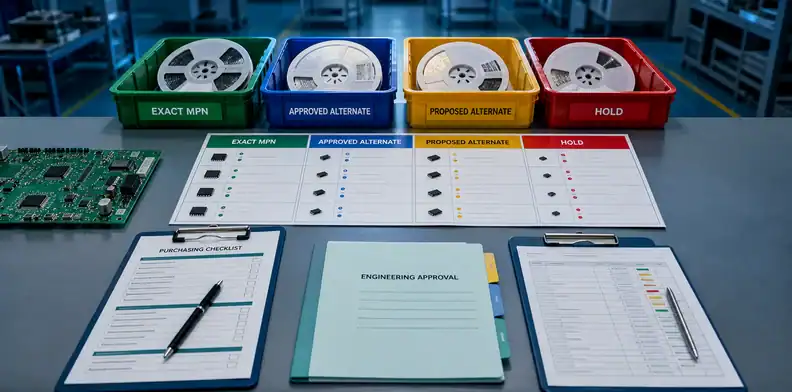
The quote should classify every disputed line:
| Quote label | Meaning |
|---|---|
| Exact MPN | Matches released BOM or approved controlling document |
| Approved alternate | Already allowed by AVL, AML, drawing, or engineering record |
| Proposed alternate | Needs buyer approval before purchase |
| Conditional quote | Price is shown, but release is blocked until approval |
| Hold | Supplier should not buy or mount until the buyer answers |
This structure keeps the buyer from comparing unlike quotes. A quote with conditional alternates may look faster, but it still contains engineering work. A quote with exact MPNs may look slower, but it may be safer for production.
The supplier should also state the commercial impact: price, lead time, MOQ, reel quantity, NCNR status, date-code concern, and whether partial shipment is possible. Those details help purchasing decide whether an alternate is worth engineering review.
For a production order, the final answer should be unambiguous:
“Use MPN XYZ-456 as approved alternate for this build only. Supplier may purchase 500 pcs. Any future MPN change requires buyer approval before sourcing.”
That sentence tells sourcing, production, and future reorder teams what was accepted.
Release a clean BOM and AVL package
Before the PO is released, the buyer should send one clean package: controlled BOM, current AVL or AML, resolved mismatch log, and clear status for any conditional line.
The PCB assembly RFQ files package should make sourcing scope, placement data, approved parts, and open exceptions visible in one place. This prevents the supplier from using an old BOM, a partial AVL, or an email attachment as the source of truth.
The clean package should include:
- BOM revision and date
- AVL/AML revision and date
- Distributor or supplier quote notes
- Disputed MPN list
- Engineering decision for each conflict
- Conditional alternate status
- Approval owner for future changes
- NCNR or MOQ exposure for approved purchases
For repeat orders, keep the resolved mismatch log with the purchasing record. A future buyer should not have to search old emails to learn whether the BOM or AVL controlled a part.
For PCBA projects with BOM/AVL conflicts, send QueenEMS the BOM, AVL or AML, supplier quote, proposed MPNs, datasheets for disputed lines, sourcing model, and approval owner. QueenEMS can help classify exact parts, approved alternates, proposed alternates, and hold lines before quotation or procurement starts.
One practical way to reduce confusion is to add a “quote authority” column to the disputed-part list. That column can say BOM, AVL, approved alternate, proposed alternate, or hold. The supplier can then return price and lead time against the same decision language instead of mixing exact parts and substitutions in one total price.
For example, a buyer may send: “For U5, quote BOM MPN only. For C18, AVL MPNs are allowed. For J2, proposed alternate may be quoted but not purchased until mechanical fit is approved. For Y1, hold sourcing because timing and load capacitance need engineering review.” This gives purchasing a clean comparison and gives engineering a focused list of decisions.
The buyer should also separate quoting from buying. A supplier may provide conditional prices for proposed alternates while the team is still reviewing them. That does not mean those parts are released for purchase. Add a PO note such as: “Do not buy conditional MPNs until buyer sends written release.” This protects the project from accidental NCNR exposure.
For repeat orders, update the controlled BOM or AVL after the decision. A one-time email approval may solve the first build, but it will not protect the next order if a different buyer or planner reuses the old files. The cleanest handoff is an updated BOM/AVL package plus a short mismatch log kept with the quote.
This also helps the supplier protect stock already purchased for the project. If the buyer approves an alternate only for one build, the supplier should not assume that the same part is automatically released for the next lot. If the alternate becomes permanent, the BOM or AVL should be updated so future quotes do not depend on memory. That distinction matters for price breaks, excess inventory, warranty questions, and customer audits.
When several disputed lines exist, group them by risk. Commodity passive parts can often be reviewed quickly. Connectors, power devices, RF parts, clocks, sensors, programmed devices, and safety-related components deserve a stronger engineering check before sourcing.
Separate an AVL alternate from a BOM correction
An AVL alternate is a permitted sourcing option. A BOM correction means the original line item was wrong or incomplete. Treating both cases the same creates risk because the supplier may buy a part that fits the AVL but does not match the real design intent.
The buyer should mark the mismatch as one of three decisions: use the BOM MPN, use the AVL alternate, or stop and correct the design package. That simple label gives purchasing and engineering the same answer before parts are ordered.
- BOM controls: buy and place the BOM MPN
- AVL controls: approved alternate may be used
- Engineering hold: correct the BOM, drawing, or AVL first
Record the approved MPN for the next buy
The final decision should not live only in a quote email. Once the MPN is accepted, update the purchasing package so the next buy does not reopen the same conflict. This is where many repeat PCBA orders lose time: the first decision was correct, but it never became the controlled record.
QueenEMS review should return a short record with reference designator, original BOM MPN, AVL option, approved MPN, approval owner, and whether the decision is lot-only or permanent.
- Reference designator and BOM line
- Original and approved MPN
- Reason for the change or acceptance
- Lot-only or permanent AVL/BOM update
FAQ
Can the assembler pick the MPN from either BOM or AVL?
Only when the RFQ gives that authority. If the BOM and AVL conflict, the supplier should flag the line and wait for engineering or component-owner approval before sourcing.
Is an AVL the same as approved alternates?
Not always. An AVL may list approved manufacturers, sources, or part families, while an approved alternate may require a specific engineering decision for one shortage or build.
Should a supplier quote conditional MPNs?
Yes, but they should be clearly labeled as conditional. The buyer should not compare a conditional alternate quote with an exact-MPN quote unless approval status, risk, and commercial terms are visible.
What should I check before approving an alternate MPN?
Check package, footprint, pinout, electrical rating, tolerance, temperature, lifecycle, compliance, firmware or test impact, price, MOQ, lead time, and NCNR exposure.
What should QueenEMS review in an MPN mismatch?
Send the BOM, AVL/AML, quoted MPNs, datasheets, shortage notes, sourcing model, and approval owner. QueenEMS can help classify exact, approved, proposed, and hold lines before sourcing begins.
Sources
- Altium PCB procurement checklist – procurement checklist context for supplier-ready PCB and assembly data.
Send QueenEMS a quote-ready BOM/AVL package
If your PCB or PCBA project has a sourcing decision tied to PCBA MPN mismatch BOM AVL, send QueenEMS the BOM, AVL or AML, distributor quote, supplier proposed MPNs, datasheets for disputed lines, sourcing model, MOQ or NCNR notes, and the approval owner. We can help review the conflict log, approved sourcing boundary, conditional quote notes, and PCBA release-ready BOM/AVL package before the wrong material is purchased.
Written by the QueenEMS Engineering Team
Upload your files today · Free DFM check before production · Ship worldwide
Get your PCB prototypes in as fast as 24 hours. We handle FR4, Rogers, and Flex up to 60 layers — free prototypes for 2–4 layer boards, no minimum order.
Just upload your Gerber + BOM — we source every part, assemble, and inspect (AOI + X‑Ray) so you don't have to chase suppliers. Boards ship in as fast as 24 hours.