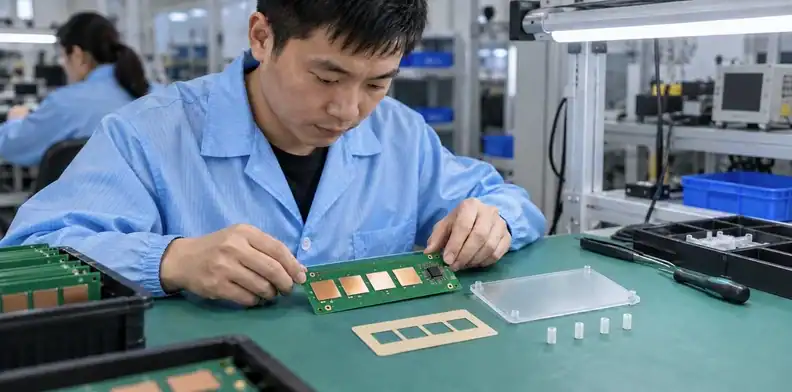
Quick Answer: Capacitive touch PCB design starts with the controller’s sensing method and the complete cover stack. Electrode shape, surrounding ground, supported driven shields, routing and assembly gaps all influence the measured response. Release those features with the enclosure and firmware configuration, then check sensitivity, noise and moisture behavior on the finished product.
A button that responds on an uncovered prototype can become unreliable after the cover, adhesive and housing are installed. Raising sensitivity may also increase false triggers from switching noise or water. Evaluate the assembled touch interface under its intended conditions.
For buttons, sliders and similar embedded controls, release the electrode artwork with its mechanical stack and final functional test. Each identifies a part of the construction that must remain consistent through production.
Table of Contents
- Start with the finished touch interface
- Choose electrode geometry for the sensing method
- Budget cover thickness and assembly air gaps
- Assign ground and driven-shield copper deliberately
- Route sensor channels away from switching noise
- Define moisture behavior before promising wet operation
- Verify CAD geometry and exported sensor data
- Preserve the sensor stack during assembly
- Validate the enclosed product across real conditions
- Release touch requirements with the assembly files
Start with the finished touch interface
Capacitive touch PCB design requires the controller, sensing method and finished cover stack before fixing electrode geometry. The physical surface touched by the user belongs in the design specification alongside the PCB.
Record the cover material and thickness, adhesive construction, permitted air gaps and board support. Identify nearby metal in the enclosure and the expected finger position. A control intended for a gloved operator or a proximity response needs a different use-case review from a bare-finger button behind a thin plastic cover.
The Microchip capacitive-touch sensor design guide treats sensor geometry, cover and electrical surroundings as interacting parts of the sensing system. Use the selected controller’s implementation guidance to determine which construction is appropriate.
For an appliance panel, obtain the overlay and support drawing while the electrode artwork is still editable. A later mechanical spacer may shift the distance to the copper without changing the PCB part number. For an industrial control, define whether gloves, condensation or operation beside a motor are expected before deciding what a successful touch must look like.
Keep the intended user action precise. State whether the control detects a press, tracks a slider position, rejects nearby touches or must remain inactive while wet. These requirements guide the electrode arrangement and test cases. Bare-board response is useful during development, but it describes only that early configuration.

Choose electrode geometry for the sensing method
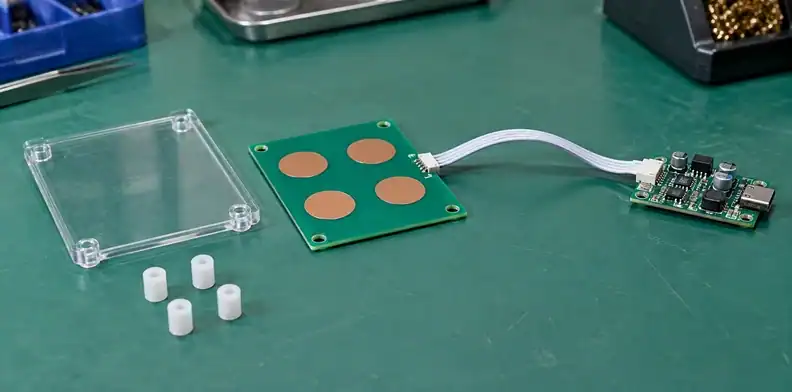
Follow the selected controller guidance for self-capacitance or mutual-capacitance electrodes. Their channel connections and measured relationships differ, so a familiar copper shape is insufficient to identify the circuit.
| Design choice | What to establish | Manufacturing implication |
|---|---|---|
| Self-capacitance channel | Electrode net and measured relationship to its environment | Preserve the electrode and its surrounding copper as a defined layout |
| Mutual-capacitance channel | Transmit/receive roles and their coupling geometry | Keep both net assignments and relative shapes correct |
| Discrete button | Intended touch location and separation from neighboring controls | Verify electrode position against the cover artwork |
| Slider or wheel | Channel pattern and position-processing method | Preserve the full pattern and channel order |
| Proximity function | Detection volume and permitted surroundings | Validate the assembled housing and nearby conductive objects |
Select electrode dimensions using the applicable controller guidance and the actual cover. Universal diameter recommendations ignore sensor mode, thickness, geometry and the controller’s operating range.
The ADI AN957 implementation note illustrates how electrode and shield arrangements belong to a particular controller family. A layout taken from such a note needs its associated circuit and configuration; it is not an interchangeable template for every touch IC.
Document the channel map in the schematic and assembly package. For mutual-capacitance patterns, a transmit/receive swap is an electrical change even if the artwork looks symmetric. For a slider, reversing the channel order can alter interpreted position while leaving every component correctly soldered. First-article review should compare net assignments as well as copper appearance.
Budget cover thickness and assembly air gaps
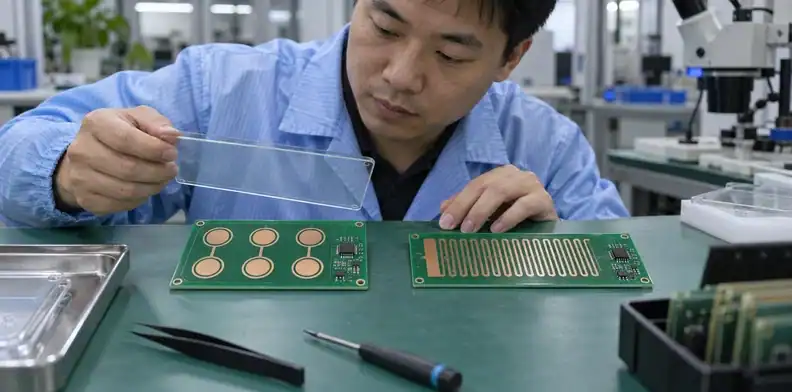
Review the cover, adhesive and possible air gaps as one tolerance-controlled stack between finger and electrode. A nominal cover thickness does not describe the full assembled separation.
Review the complete dielectric stack
| Stack element | Drawing or process input | Variation to examine |
|---|---|---|
| Cover | Material and thickness tolerance | Thickness across the active area |
| Adhesive | Specified product and bondline construction | Voids, compression and local thickness |
| Air gap | Permitted spacing and support geometry | Bow or incomplete bonding above an electrode |
| PCB surface | Copper, mask and any additional coating | Added layers or changed surface construction |
| Mechanical support | Bosses, spacers and mounting sequence | Distance after the housing is fastened |
Use worst-case combinations that can actually occur in assembly. A locally bowed panel can affect one button while neighboring buttons still respond, so inspect the active locations instead of measuring only the enclosure corners.
Use an air-gap calculation as a review aid
An explicitly illustrative parallel-plate estimate shows the significance of a small gap. Assume a 1.0 mm cover with relative permittivity 3, equal plate area and no other layers. Its effective dielectric separation is 1.0/3 = 0.333 mm. Adding 0.10 mm of air makes that separation about 0.433 mm; the ideal capacitance ratio is 0.333/0.433, or approximately 0.77.
That is about a 23% reduction in this simplified plate model. A touch electrode and finger have fringing fields and controller-specific measurement behavior, so this is not a predicted touch-count decrease. Control the actual gap mechanically and compare the functional response over the permitted assembly variation.
Measure the actual assembly stack and test the intended tolerance range before approving the cover construction.
Assign ground and driven-shield copper deliberately
Choose copper beneath and around each sensor according to the controller mode and the required sensitivity and noise behavior. Grounded copper and a driven shield perform different electrical roles.
Balance grounded copper against sensitivity
Nearby ground changes the sensor’s electrical loading. A solid plane, a hatch and a clearance region are therefore alternatives to evaluate with the selected controller, rather than universal rules that apply to every button.
Inspect the actual top and bottom copper around each electrode. Record the clearance, hatch geometry where used and connection to the intended reference. A visually similar hatch can have a different electrical relationship if the net or layer changed.
The copper-pour and ground-plane distinction helps interpret the reference structure, but touch-specific copper requirements must come from the sensor design. Avoid filling unused regions automatically near the electrodes after the touch layout has been validated.
Use driven shields only with supported control
A driven shield is actively controlled through the supported controller arrangement. Assign its net and routing according to that implementation. An isolated copper patch is not a driven shield, and an ordinary ground pour cannot be renamed into one.
Review the supported load, electrode proximity and interaction with the sensing channels. Include the selected controller configuration in the release files so firmware and PCB revisions describe the same arrangement.
When comparing ground and shield options, retain the same cover and test setup. Record touch response and noise for the actual configurations. This gives engineering a basis for the choice without treating maximum bare-board sensitivity as the only objective.
Route sensor channels away from switching noise
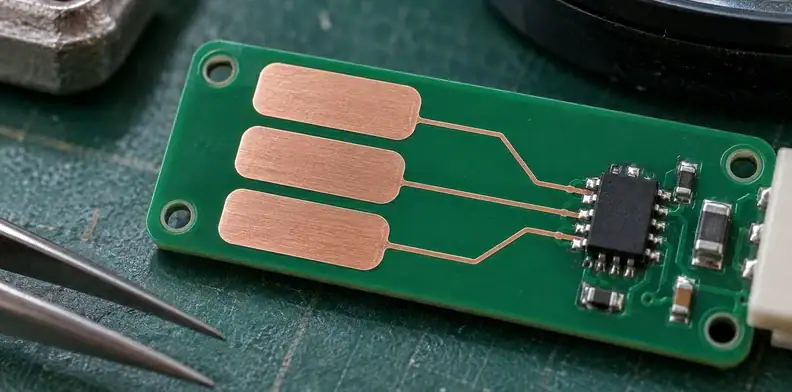
Keep sensing routes controlled, then review the noisy circuits and references around them. The electrode is only one part of the channel; its route to the controller also occupies a physical environment.
| Nearby feature | Layout question | Functional test condition |
|---|---|---|
| Converter switching node | Does its copper approach or cross the sensor route? | Converter load and switching modes |
| PWM LED circuit | Where do the LED drive and return currents flow? | Relevant brightness and PWM settings |
| Display or fast clock | Which routes and connectors share the region? | Active display or clock operation |
| External cable | Does routing extend the sensing path or change its surroundings? | Intended cable and power arrangement |
| Metal support or enclosure | Is it close to electrode or route copper? | Final housing and mounting condition |
Prefer a short, understandable sensor route where the controller and mechanical layout allow it. Keep its net identity and avoid casual test pads or detours that change the evaluated channel. Review relevant components and any recommended series elements as part of the controller circuit.
A touch panel can appear stable while the LEDs are off and trigger incorrectly at one brightness setting. Include those settings in the prototype test instead of checking only idle operation. Likewise, exercise the intended power supply and external cables; a quiet laboratory supply may not reproduce the final product environment.
If the first enclosed prototype behaves differently from the bench board, use the prototype-failure investigation approach to compare specific changes. Keep the route, enclosure state and operating mode attached to the evidence so another engineer can reproduce the disturbance.
Define moisture behavior before promising wet operation
Define the permitted wet conditions and required behavior before describing a touch interface as water tolerant. Water on the cover can produce different electrical situations depending on where it lies and what it bridges.
Separate a droplet from a conductive bridge
The Microchip sensor guide discusses liquid-induced effects and the importance of sensing arrangement and surroundings. Apply that distinction to the product: isolated droplets above a button, a film across several buttons and liquid reaching grounded metal are separate test cases.
State what the product must do in each case. Some controls must continue detecting intentional touches; others must reject activation until the surface is dry. A “no false touches” requirement does not automatically include successful detection through a water film.
Use the controller’s supported wet-operation features where appropriate, with the required electrode and shield arrangement. Firmware tuning cannot be assumed to compensate for every conductive bridge or mechanical layout.
Test startup and recovery with the intended firmware
Include wet startup when it is a credible use condition. A controller that establishes its baseline with liquid present may behave differently from one that becomes wet during operation.
Record the firmware configuration, baseline behavior and recovery after drying. Also observe whether one wetted channel affects neighboring controls or a slider’s position interpretation.
For an appliance control beside a wet work area, define representative droplets, films and ground-contact situations from the product requirements. Keep the placement and condition documented without claiming that one informal splash test establishes universal water immunity. Repeat the relevant cases after a cover, shield or firmware change that affects the sensing arrangement.
Verify CAD geometry and exported sensor data
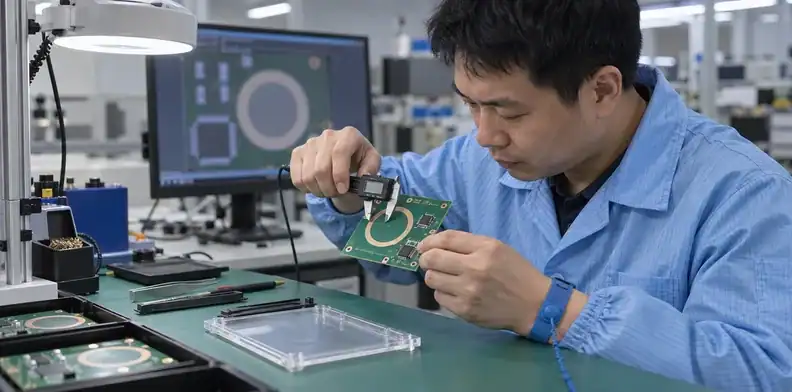
Verify the imported electrode dimensions, channel nets and copper layers in the exported manufacturing files. A correct-looking shape can still have the wrong units or electrical assignment.
TI SLAA891B documents a parametric electrode workflow using geometry generation, DXF export and CAD import. It supplies a CAD method, not a universal sensor-layout recipe.
Consider an illustrative review with an intended 12 mm electrode diameter. Compare the imported bounding box against 12 mm, confirm the import units, and check the shape after any conversion or scaling. The assumed diameter is only a document-review example; it is not a recommended size for every touch control.
| Export check | Evidence to inspect | Error caught |
|---|---|---|
| Units and scale | CAD dimensions and bounding box | Incorrect import scaling |
| Copper layer | Layer map and manufacturing viewer | Shape placed on a drawing or wrong copper layer |
| Channel net | Connectivity and channel map | Floating electrode or swapped channel |
| Surrounding copper | Ground/shield clearance and hatch | Unapproved pour or clearance change |
| Revision consistency | Schematic, board and assembly references | Files from different sensor configurations |
Inspect the final Gerber or ODB++ output independently of the editing view. Check that the fabricator receives the actual electrode copper and its surroundings, not just an attractive mechanical illustration.
Retain approvals for changes raised during the CAM review before production. A proposed copper fill, spacing edit or layer reassignment around a sensor needs touch-design review even when it simplifies fabrication.
Preserve the sensor stack during assembly
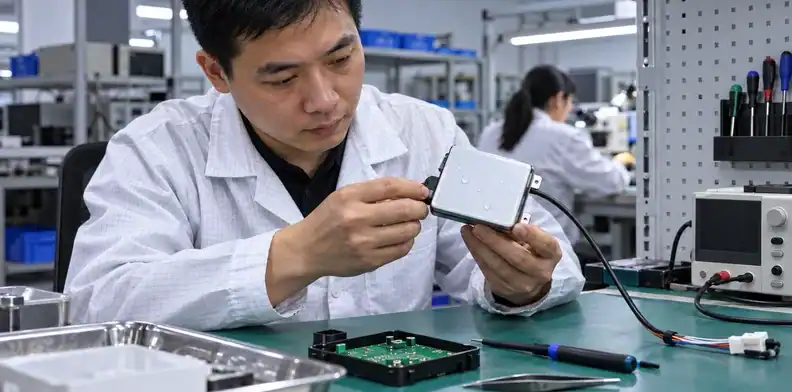
Build the evaluated cover stack and preserve its mechanical spacing around every electrode. Assembly materials and supports are part of the electrical configuration for this application.
Control cover bonding and support
Identify the adhesive product, intended bondline and support method in the assembly drawing. Show where the board contacts the cover and where a gap is permitted. Inspect bond defects or local separation at the active sensor locations.
An adhesive substitution can alter thickness or the dielectric stack. Process it through the material-substitution approval route with an application-specific review. Matching mechanical adhesion alone leaves touch behavior unresolved.
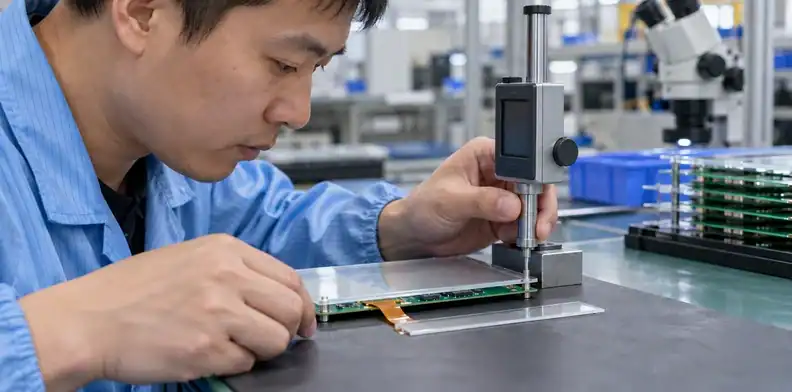
Check the mounted condition after screws or clips are installed. If fastening bends the board or panel, the relevant distance is the final assembled distance. A measurement on loose parts does not represent it.
Review nearby LEDs and final handling
Illuminated controls often place LEDs, openings or light guides near the electrode. Review those parts against the evaluated sensor copper and stack. A light-guide support added after layout can change spacing or put a new material near the sensing region.
Keep solder-mask and any coating changes explicit. The mask-opening interface review can help resolve local exposed-copper details without turning the entire electrode into a soldering feature.
Use a first-article assembly review to confirm that the actual parts, cover and support match the released construction. Preserve that reference assembly while evaluating functional variation. Changes in cleaning, coating or final handling that alter the touch surface should follow the agreed process and retest scope.

Validate the enclosed product across real conditions
Test the populated board in the intended cover and enclosure with the controller configuration fixed. Record enough channel information to distinguish detection margin from noise and false activation.
| Test situation | Record | Decision supported |
|---|---|---|
| Untouched and intentional touch | Baseline, touch delta or equivalent controller metrics | Available detection margin |
| Active LEDs, display and converter | Channel noise and missed/false activations | Noise tolerance in operating modes |
| Expected fingers or gloves | Repeatable intended user actions | Required usability |
| Permitted moisture states | Activation, rejection and recovery behavior | Defined wet-operation claim |
| Mechanical and material variation | Stack condition and functional response | Tolerances and approved substitutions |
Use the metrics the controller actually provides. A raw count, filtered baseline and detection threshold are different quantities; retain their meaning and firmware revision in the report. Choose acceptance limits from the product requirement and controller implementation rather than an arbitrary threshold from another design.
Compare the same PCB in relevant assembly states during development: uncovered, with the specified cover, and inside the complete housing. This can help locate when the response changes. Final acceptance belongs to the state the customer receives.
Optical inspection can verify visible placement and workmanship. The inspection-method comparison clarifies why that evidence still needs the touch-specific functional test.
Retest the affected cases after an electrode, ground, shield, cover or firmware change. A successful earlier prototype remains useful evidence for its own configuration; keep that configuration identifiable when approving the production version.

Release touch requirements with the assembly files
Include the controller configuration, electrode geometry and mechanical stack with the agreed functional test. The assembler needs a consistent description of the PCB and the parts that establish its touch surface.
Supply the board data and schematic with a channel map showing sensor, transmit, receive, ground and driven-shield nets as applicable. Add the cover drawing, specified adhesive, support dimensions and permitted gaps. The BOM should identify components and materials whose substitution affects the evaluated design.
Describe the test state clearly: firmware revision, power and cable arrangement, installed cover and housing, operating modes and required user actions. If the scope includes moisture tests, define the conditions and expected response. A note reading “test all buttons” leaves too much room for different interpretations.
Assign approval for changes in electrode shape, copper fill, shielding arrangement, cover material and bonding method. Manufacturing can propose an alternative, while the touch-design owner evaluates its electrical consequences and the required retest.
Close conflicts between the CAD files and assembly drawing before production. An unresolved air gap, missing shield-net assignment or unspecified firmware configuration prevents the quotation and test plan from describing one construction.
Send QueenEMS the electrode files and finished-interface drawing with the controller and functional-test requirements. These inputs let the quotation discussion address the actual panel assembly and the evidence needed to accept it.
Sources
- Microchip: Capacitive Touch Sensor Design Guide
- Texas Instruments SLAA891B: Capacitive touch electrode generation
Written by the QueenEMS Engineering Team
Upload your files today · Free DFM check before production · Ship worldwide
Get your PCB prototypes in as fast as 24 hours. We handle FR4, Rogers, and hybrid boards up to 40 layers in volume production, with advanced builds subject to engineering review — free prototypes for 2–4 layer FR-4 boards, no minimum order.
Just upload your Gerber + BOM — we source every part, assemble, and inspect (AOI + X‑Ray) so you don't have to chase suppliers. Boards ship in as fast as 24 hours.