
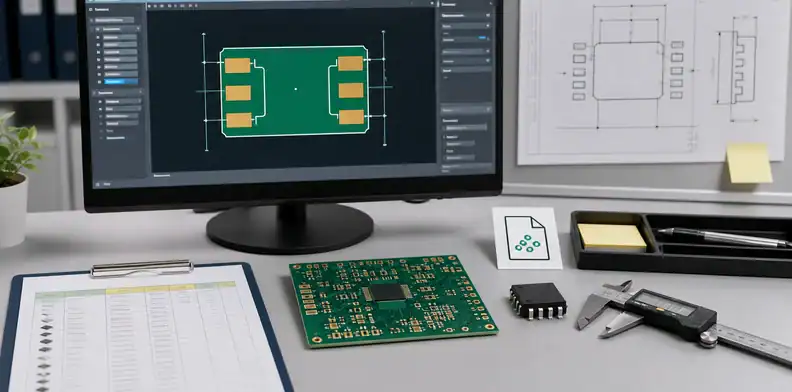
Quick Answer: Fix a PCBA footprint mismatch before an assembly quote by comparing the BOM package, manufacturer datasheet land pattern, PCB footprint, centroid data, polarity/orientation, and assembly drawing before the supplier prices the build. Hold the affected line when the physical package, pad layout, height, pin count, pitch, or orientation cannot be proven to match.
Key takeaways – A footprint mismatch is an assembly-release problem, not only a CAD-library warning. – Check the exact MPN package against the board footprint before the supplier buys parts. – Separate quote assumptions from production approval when the supplier proposes a fix. – Keep the final footprint decision with the BOM, centroid, drawing, and RFQ record.
PCBA footprint mismatch before assembly quote is one of the most expensive problems to find after parts arrive. The assembly quote may look normal, but the selected component may not fit the PCB land pattern, may rotate differently than expected, or may require a soldering process the original layout did not support.
The buyer often sees the issue as a simple BOM correction. The assembler sees a build risk: wrong package, wrong pin pitch, wrong pad shape, missing thermal pad, unclear polarity, or a component height conflict that may stop placement or testing.
The practical question is not whether footprint mistakes exist. The useful RFQ question is: “Can this supplier quote, buy, place, inspect, and test the exact part on the exact board footprint without making an undocumented engineering change?”
Table of Contents
- Match the exact MPN to the PCB land pattern
- Compare BOM, centroid, and assembly drawing together
- Treat supplier footprint fixes as engineering changes
- Check process risks beyond physical fit
- Send a quote-ready mismatch record
- Compare footprint risk before component purchase
- Record the accepted land-pattern decision
Match the exact MPN to the PCB land pattern
The first check is simple: the exact manufacturer part number in the BOM must physically and electrically match the footprint used in the PCB layout. Do not approve an assembly quote from a description alone when package, pitch, pin count, exposed pad, polarity, height, or thermal requirement can change.
This issue often starts with a harmless-looking BOM line. A buyer may send “USB-C connector,” “QFN regulator,” or “0603 capacitor” while the actual approved MPN has more specific mechanical constraints. The footprint may support one version, but the sourced part may use a different shell, locating peg, pad geometry, pinout, or recommended land pattern.
Use the BOM for PCB assembly as the starting point. A quote-ready BOM should include exact MPN, manufacturer, package, reference designators, quantity, and sourcing status. For footprint-sensitive parts, add the package code or datasheet revision used when the footprint was created.
High-risk parts deserve extra review:
| Component type | Footprint risk to check |
|---|---|
| QFN, DFN, LGA, BGA | Pad size, pitch, thermal pad, voiding, X-ray access |
| Connectors | Pin layout, shell, latch, peg holes, mating height |
| Crystals and oscillators | Pad layout, load-cap assumptions, package height |
| MOSFETs and regulators | Exposed pad, heat path, pinout, package suffix |
| Optoelectronics and sensors | Orientation, keepout, aperture, optical window |
The supplier can help identify the mismatch, but the buyer should approve the fix. A different package is not only a sourcing change. It can change assembly yield, solder joint inspection, enclosure fit, test behavior, or compliance evidence.
An RFQ note can be short: “For footprint-sensitive lines, quote only the exact MPN listed unless QueenEMS identifies a mismatch and the buyer approves the footprint or component change in writing.” That keeps the quote from becoming an uncontrolled redesign.
Do not treat the package name in a distributor title as enough proof. SOT-23, QFN, DFN, USB-C, JST-style connector, and similar descriptions can hide different lead forms, pad recommendations, locating pins, shield tabs, height, plating, or orientation conventions. The safer RFQ package links the exact MPN to the datasheet package drawing that engineering used when the footprint was released.
For owner-managed libraries, add one more check: confirm whether the footprint is a standard library part, a modified project footprint, or a custom footprint created for this product. A custom footprint is not wrong by default, but the supplier needs to know it is intentional so it is not challenged or altered during CAM or assembly preparation.
Compare BOM, centroid, and assembly drawing together
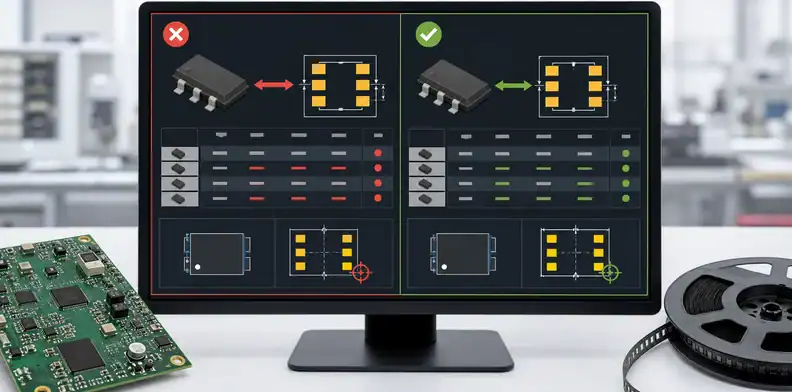
A footprint check is not complete until the BOM, centroid file, PCB data, and assembly drawing agree on the same part and orientation. Each file carries a different part of the assembly truth.
The BOM says what should be purchased. The centroid file says where each reference designator should be placed and how it is rotated. The PCB land pattern says what geometry exists on the board. The assembly drawing adds polarity, orientation, mechanical notes, and special handling that may not be obvious from coordinates alone.
Use PCB assembly RFQ files to keep those inputs together. Sending a BOM without centroid data may let the supplier price material, but it does not prove the part can be placed. Sending centroid data without a clean BOM may prove coordinates while hiding the wrong package.
Look for these mismatch signals before RFQ release:
| Signal | Why it matters |
|---|---|
| BOM package does not match PCB footprint name | CAD library or export may be stale |
| Centroid side differs from assembly drawing | Part may be placed on the wrong side |
| Rotation conflicts with polarity mark | Diode, IC, connector, or LED may be reversed |
| Reference in centroid not in BOM | Placement file may include DNP or old parts |
| BOM line not in centroid | Part may be hand-fit, missing, or source-only |
The goal is not to make the supplier responsible for reading the designer’s mind. The goal is to give the supplier enough aligned data to quote the build that engineering actually intends.
Many design tools and library workflows warn when project footprints differ from library footprints. That warning is not automatically a manufacturing defect, because a project-specific footprint can be intentional. The RFQ should identify intentional exceptions so the assembler does not “fix” something that was designed for a special connector, enclosure, or test method.
A practical buyer review should include at least one visual cross-check. Open the PCB footprint, the assembly drawing, and the datasheet land pattern together for parts that are expensive, hard to rework, polarity-sensitive, or mechanically constrained. The review does not need to cover every commodity resistor in the same depth; it should focus on parts that can stop the build if the physical assumption is wrong.
When the design has several build variants, also check that the footprint belongs to the variant being quoted. A connector may be fitted only on the diagnostic version, while the production BOM removes it. A footprint may stay on the PCB for future use, but the centroid and assembly drawing should make the current placement decision visible.
Treat supplier footprint fixes as engineering changes
A supplier-proposed footprint fix should be treated as an engineering change when it alters pads, solder mask, stencil apertures, part selection, orientation, clearance, test access, or mechanical fit. It may be a good fix, but it still changes the released build condition.
During quoting, a supplier may identify that the chosen part does not match the footprint. The safest response is not to ask the supplier to “adjust as needed.” Ask for the exact mismatch, the proposed correction, the affected references, and whether the change belongs in PCB data, BOM, stencil, assembly drawing, or sourcing approval.
The PCB DFM review before PO is the right decision boundary. DFM can flag a mismatch early, but production should wait until the design owner accepts the change or releases corrected data.
Use a practical disposition table:
| Supplier finding | Buyer action |
|---|---|
| Wrong package selected in BOM | Correct BOM or approve matching MPN |
| Footprint pad geometry wrong | Revise PCB data or approve engineering deviation |
| Orientation unclear | Update assembly drawing and centroid rule |
| Stencil change needed | Approve aperture adjustment and inspection evidence |
| Alternative part fits with minor risk | Mark quote as conditional until approved |
This is a real-world expertise signal: the assembler can often see the problem before the buyer does, but it should not silently become the design authority. The supplier’s job is to make the risk visible; the buyer’s engineering team owns the released product definition.
For an urgent prototype, engineering may accept a limited workaround such as hand soldering or a local stencil adjustment. For a pilot or production order, the safer path is usually corrected files and a clean approval record. Otherwise, the next reorder may repeat the same mismatch.
Ask the supplier to separate three ideas in its response: the discovered mismatch, the manufacturing workaround, and the permanent design correction. A workaround can help a sample build ship, but it should not become the silent standard for a volume order. The permanent correction usually belongs in the CAD library, BOM, assembly drawing, or approved alternate list.
This distinction protects purchasing as well. A quote that includes manual soldering, local rework, or extra inspection may be acceptable for ten prototypes, but it is not the same cost model as a normal SMT production quote. The RFQ should say whether the price is based on a temporary workaround or a production-ready data set.
Check process risks beyond physical fit
A component can fit the pads and still create an assembly risk if solder paste volume, thermal balance, inspection access, part height, cleaning, coating, or test access is not compatible with the build. Footprint review should therefore look beyond “does it land on the pads.”
Stencil and solder-mask details can change whether the part assembles reliably. A QFN exposed pad may need aperture segmentation. A fine-pitch IC may be sensitive to mask registration. A connector may need solder-mask relief, paste reduction, or a keepout near the shell. When land pattern and process assumptions disagree, the quote should not hide the risk.
Use the PCB solder mask opening requirements page when the mismatch involves mask-defined pads, exposed copper, fine-pitch lands, or pad geometry that affects soldering. That internal link helps keep the article from becoming only a BOM discussion.
The PCBA process also matters. A hand-soldered prototype can tolerate details that an automated SMT run cannot. A low-volume build with manual inspection may survive a borderline footprint. A production run with reflow, AOI, X-ray, coating, and functional test needs a more stable release.
Tie the decision to the PCBA manufacturing process so the buyer understands which step is affected:
| Process step | Footprint-related risk |
|---|---|
| SMT programming | Wrong package data or rotation |
| Solder paste printing | Aperture not matched to pad and package |
| Pick-and-place | Body size, nozzle, orientation, or polarity issue |
| Reflow | Tombstoning, floating, voiding, or insufficient wetting |
| Inspection and test | Hidden joints, blocked probes, or unclear pass criteria |
This is why a footprint mismatch should be closed before assembly quotation becomes a firm order. The supplier can price extra work, but the buyer should know whether the extra work is inspection, stencil change, engineering review, manual placement, rework risk, or revised files.
Some footprint issues also affect downstream coating, cleaning, depanelization, or enclosure assembly. A tall connector may fit the PCB but collide with a cover. A sensor package may need a keepout that the assembly drawing never shows. A part may block test probes or make X-ray inspection harder. Those risks should be stated during RFQ because they change the real work, not just the CAD footprint.
Send a quote-ready mismatch record
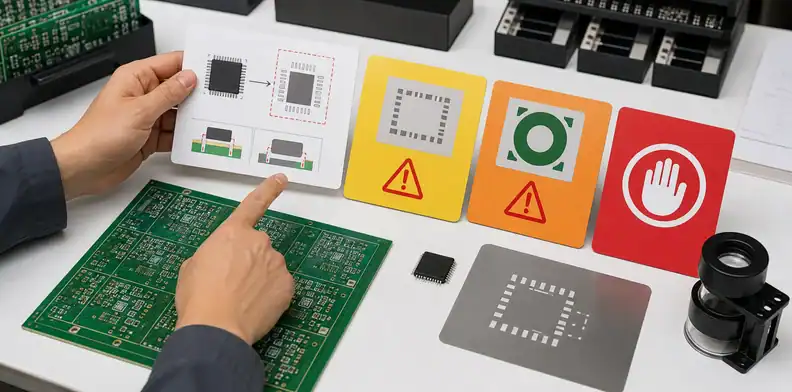
The quote-ready package should identify each footprint mismatch, the affected reference designator, the exact BOM MPN, the PCB footprint or package name, the supplier finding, the buyer disposition, and the owner who approved it. A clean record prevents the same issue from returning during PO release, SMT programming, or receiving inspection.
Do not rely on screenshots alone. Use screenshots to explain the issue, but release the corrected BOM, updated centroid, revised assembly drawing, or updated PCB data when the decision changes the build. A screenshot in an email is not a controlled manufacturing file.
A useful mismatch log looks like this:
| Field | Example decision |
|---|---|
| Reference designator | U7 |
| BOM MPN | Exact manufacturer part number |
| Footprint concern | Exposed pad or pin pitch mismatch |
| Supplier finding | Datasheet land pattern does not match PCB footprint |
| Buyer disposition | Revise PCB data before quote, or approve alternate |
| Quote status | Hold, conditional, or production-ready |
The final RFQ should include corrected BOM, current Gerber or ODB++ package, centroid file, assembly drawing, datasheet for disputed parts, proposed supplier disposition, and approval owner. If the supplier is allowed to quote conditionally, make that label visible so purchasing does not compare it against a fully released quote.
For PCBA projects where a footprint mismatch may affect quotation, sourcing, stencil design, placement, or testing, send QueenEMS the BOM, datasheets, Gerber or ODB++ data, centroid file, assembly drawing, photos or screenshots of the mismatch, and the desired build quantity. We can help return a quote-ready mismatch log, DFM disposition, corrected input list, and PCBA assembly quote boundary before parts are bought or placed.
Compare footprint risk before component purchase
A footprint mismatch should be reviewed before components are purchased, not after the SMT line finds the problem. The buyer should decide whether the issue is only a library warning, a true land-pattern mismatch, a polarity risk, a height constraint, or a solderability concern.
That review changes the sourcing decision. A part that is available and cheap can still be the wrong purchase if the board footprint cannot assemble it reliably without an approved engineering change.
- Package, pitch, pin count, and exposed pad
- Polarity mark and assembly orientation
- Height or mechanical clearance
- Stencil, solder-mask, or inspection concern
Record the accepted land-pattern decision
When engineering accepts a footprint decision, record the reason in the RFQ package. The supplier should not have to infer the design owner?s intent from a warning, screenshot, or informal chat message.
A useful record says whether the layout is accepted as-is, the part must change, the PCB must change, or the lot is on hold. That keeps the quote from becoming a guess about manufacturability.
- Accepted as-is with evidence
- Use different MPN
- Revise PCB footprint
- Hold quotation until engineering confirms
FAQ
Can I ask the assembler to fix a footprint mismatch?
Yes, the assembler can propose a fix, but the design owner should approve it before production. A footprint change can affect soldering, inspection, mechanical fit, test access, and future reorders.
What files are needed to check a PCBA footprint mismatch?
Send the BOM, exact MPN datasheet, Gerber or ODB++ data, centroid file, assembly drawing, and any project-specific footprint notes. The supplier needs both material identity and board geometry.
Is a library footprint warning always a manufacturing problem?
No. A project-specific footprint can be intentional. It becomes a manufacturing problem when the supplier cannot prove the selected part, land pattern, orientation, and process window match the released build.
Should footprint mismatch be fixed before quotation or after DFM?
Fix the decision before a firm quote or PO. The supplier can provide a conditional quote during DFM, but production pricing should identify whether files are corrected, the quote is conditional, or the line is on hold.
What should QueenEMS review before quoting the build?
QueenEMS should review the BOM MPN, package, PCB footprint, centroid, assembly drawing, stencil or solder-mask risk, supplier finding, and buyer-approved disposition before quoting the affected PCBA line.
Sources
Written by the QueenEMS Engineering Team
Upload your files today · Free DFM check before production · Ship worldwide
Get your PCB prototypes in as fast as 24 hours. We handle FR4, Rogers, and Flex up to 60 layers — free prototypes for 2–4 layer boards, no minimum order.
Just upload your Gerber + BOM — we source every part, assemble, and inspect (AOI + X‑Ray) so you don't have to chase suppliers. Boards ship in as fast as 24 hours.